
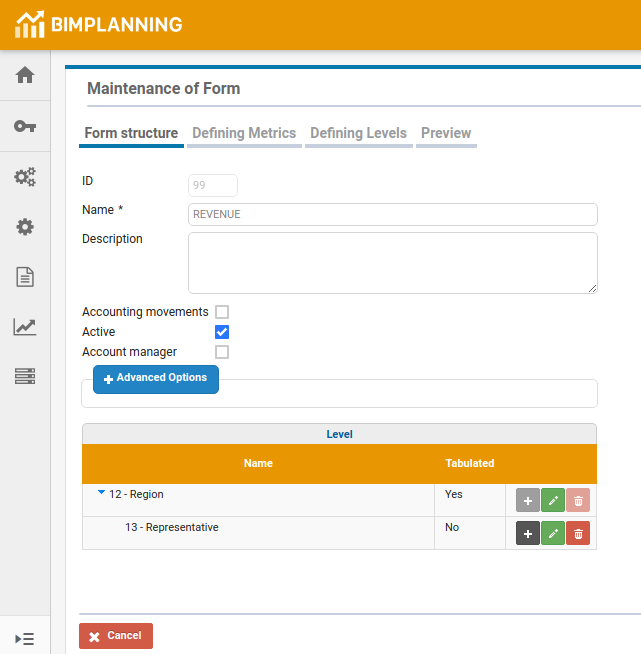
It is possible to separate the display of the matrix by level at the time the form is executed, for this it is necessary to check the option “Tabulated” at the time of creating the form. This option is only available for the first level of the form, as explained in the pictures below.
Step 1:
In the form creation, click “Edit” level to open the “Edit” menu and check the “Tabbed” option. It is possible to apply the “Tabular” level only in the first level, which in the case below corresponds to “TYPE”.
Step 2:
Define the levels of your form, in our case, we define the level “REGION” with values of a few regions.
Define the levels of your form, in our case, we define the level “REGION” with values of a few regions.
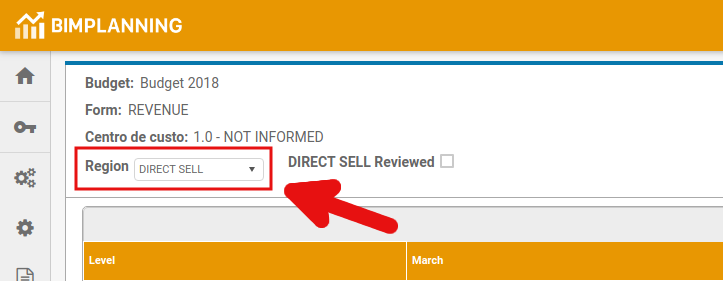
Revised: is used to indicate if any part of the form has already been reviewed/completed.
If the execution contains a portion of the form that has not yet had the “Revised (a)” option checked, an alert is issued to the user attempting to approve it.