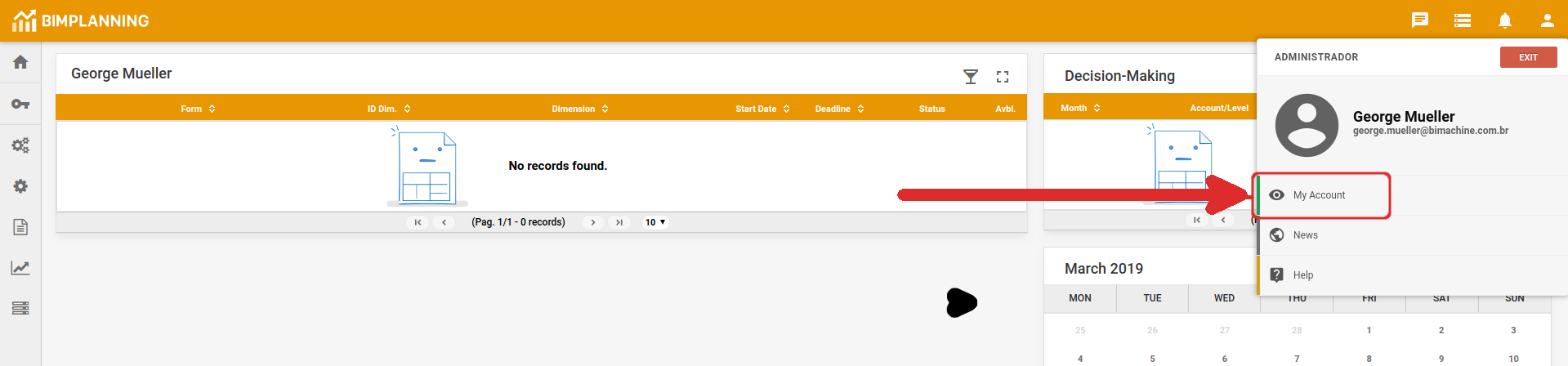
The My Account menu can be accessed by any user and allows him to change his information such as name, email and password. It is also possible for the user to view the date and time of their last accesses to the system as well as the last activities in it. To access the “My Account” menu simply click on “Settings> My Account” or access through “Menu> My Account”.
My Account
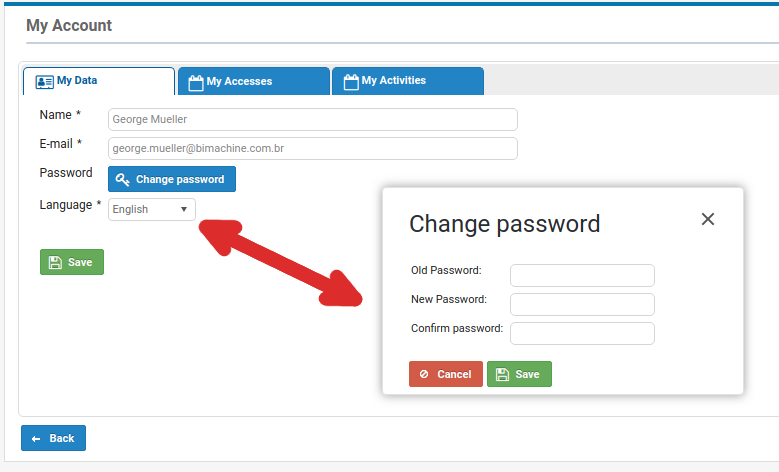
In this tab you can change user data such as name, email, password and language. To change the password click on “Change Password”, a screen will appear asking for the current password and the new password as well as the confirmation of the password, to confirm the change click the save button.
In this tab you can change user data such as name, email, password and language. To change the password click on “Change Password”, a screen will appear asking for the current password and the new password as well as the confirmation of the password, to confirm the change click the save button.
Filling Information:
Fields represented by a “*” are required.
Fields represented by a “*” are required.
- Name*: Username, this is how you’re going to be seen by other users.
- E-mail*: User’s e-mail, can be from any provider. It will be used by the user to log in to the system and receive alerts / notifications from the system.
- Change password: Button available to the user to change their system access password. Clicking on it will open a window where the user must inform the old password and set the new password as well as the confirmation of the same one.
After all the fields are filled, click Save
My Acesses
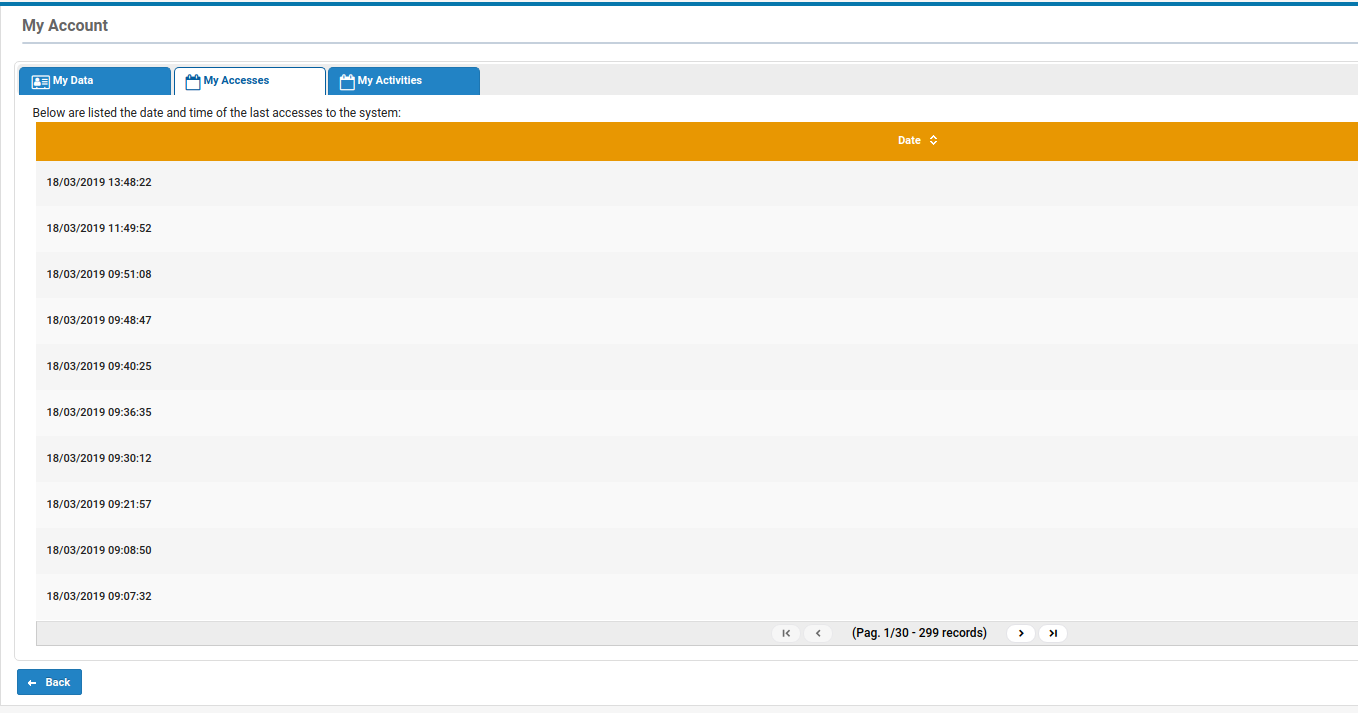
In this tab will be displayed the date and time the last accesses that the user made to the system.
In this tab will be displayed the date and time the last accesses that the user made to the system.
My Activities
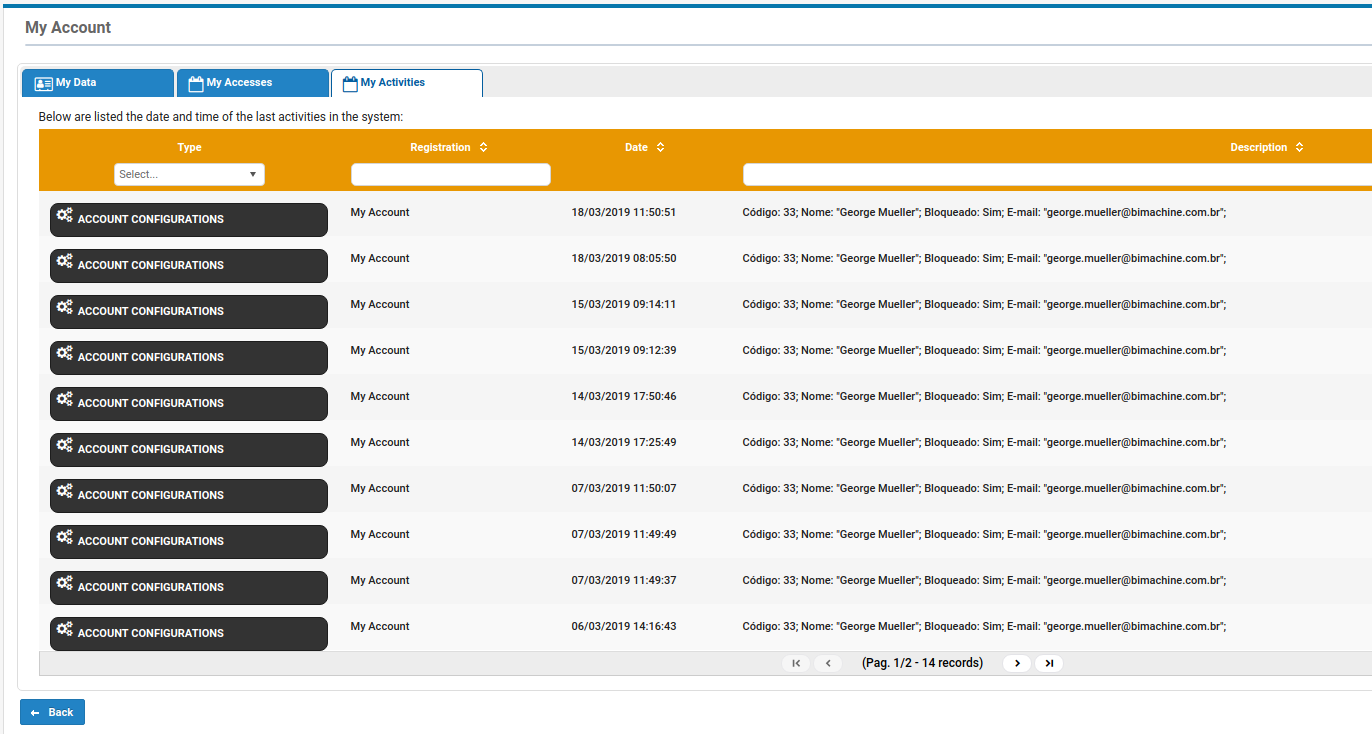
In this tab the last activities that the user performed in the system will be displayed, being possible to filter the activities by “Type” of the activity, “Description” or “Register” which refers to which page the activity occurred.
In this tab the last activities that the user performed in the system will be displayed, being possible to filter the activities by “Type” of the activity, “Description” or “Register” which refers to which page the activity occurred.